
Deleting All Soft-Line Breaks in Docs with One Click
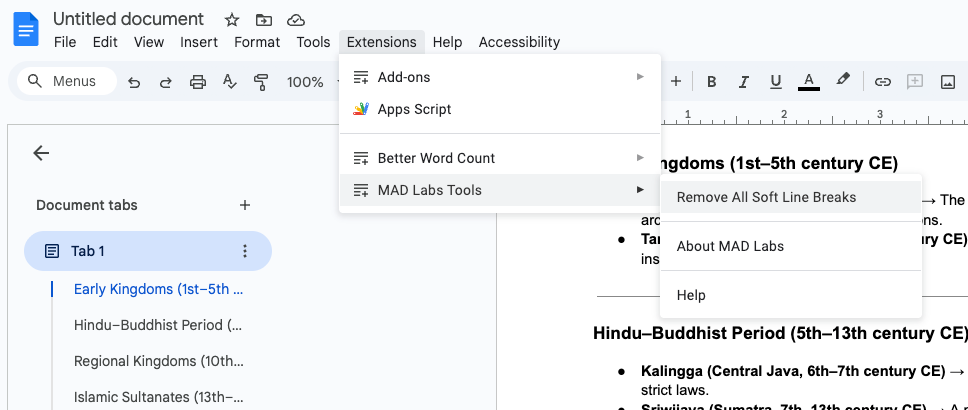
We’re excited to announce a new productivity tool created by the MAD Labs by MWS team that’s now available for all members of Millennia World School inside Google Docs.
When you open Google Docs, you’ll now see a new extension called MAD Labs Tools. Our first feature available under this extension is:
✨ Remove All Softline Breaks
If you often copy text directly from ChatGPT into Google Docs, you’ve probably noticed an annoying formatting issue: the text comes with softline breaks (those invisible breaks created by pressing Shift+Enter).
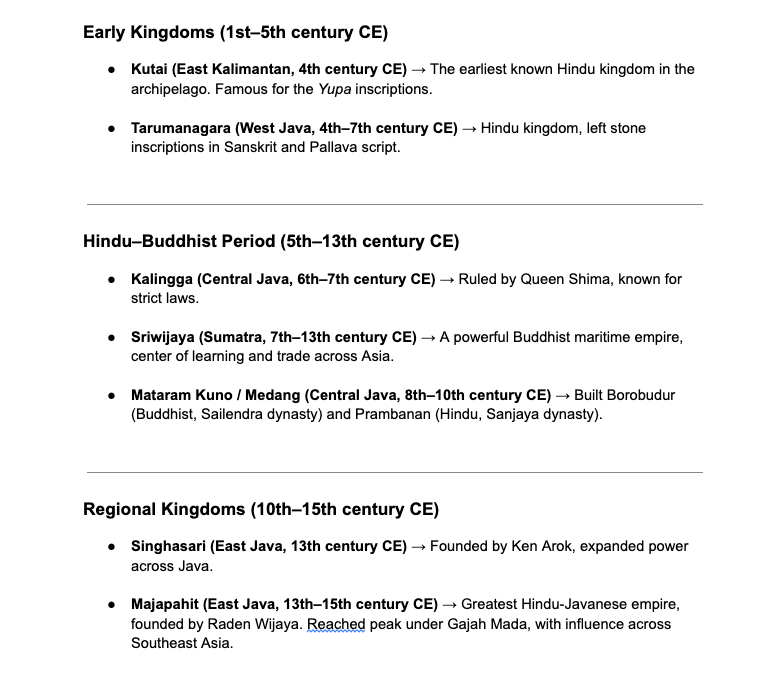
Until now, the only way to fix this was by deleting them manually—one by one. A small task, yes, but one that adds up over time.
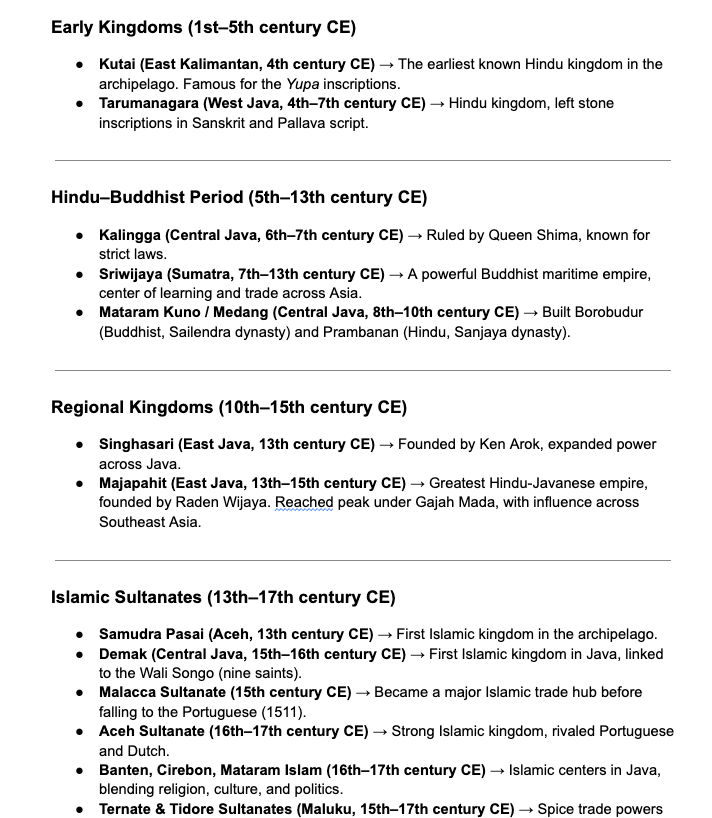
Now, with just one click, the Remove All Softline Breaks tool will automatically clean up your text, making it smooth, continuous, and ready to use.
Why This Matters
- Save Time: No more wasting minutes cleaning up formatting.
- Stay Focused: Spend your energy on writing, editing, and creating—not formatting.
- Boost Productivity: A few seconds saved today adds up to hours over the year.
How to Use It
- Open your document in Google Docs.
- Click on the Extensions menu.
- Select MAD Labs Tools → Remove All Softline Breaks.
- Done! Your document will instantly be cleaned.
This is just the first of many tools we’re developing for the MWS community. Right now, the extension is only available internally within Millennia World School, but it’s a great step toward making our daily workflows faster and more seamless.
Try it out the next time you’re working in Docs—and let us know how it helps you! 🚀
MAD Labs Tools : Hapus Softline Breaks Sekali Klik
MAD Labs MWS kembali menghadirkan inovasi kecil tapi bermanfaat besar untuk keseharian kita di Millennia World School. Mulai sekarang, setiap kali membuka Google Docs, kita akan menemukan ekstensi baru bernama MAD Labs Tools.
Fitur pertama yang bisa langsung digunakan adalah:
✨ Remove All Softline Breaks
Sering copy-paste dari ChatGPT ke Google Docs? Pasti pernah mengalami teks yang terpotong-potong dengan baris aneh akibat softline breaks (hasil dari tombol Shift+Enter). Biasanya, kita harus repot menghapusnya satu per satu secara manual.
Nah, sekarang masalah itu bisa selesai dalam satu klik saja. Tinggal pilih menu Remove All Softline Breaks, dan semua baris tambahan yang mengganggu akan langsung hilang. Teks jadi rapi, bersih, dan siap dipakai.
Kenapa Penting?
- Hemat Waktu: Tidak perlu lagi buang menit untuk bersih-bersih manual.
- Lebih Fokus: Energi bisa dialihkan untuk menulis dan mengembangkan ide.
- Produktif: Penghematan kecil ini, kalau dikumpulkan, bisa jadi banyak jam kerja yang terselamatkan.
Cara Pakai
- Buka dokumen di Google Docs.
- Klik menu Extensions.
- Pilih MAD Labs Tools → Remove All Softline Breaks.
- Selesai! Dokumen langsung rapi.
Ini baru langkah awal. Ke depan, MAD Labs akan terus mengembangkan berbagai alat lain yang bisa membantu kita bekerja lebih cepat dan efisien. Untuk saat ini, ekstensi ini hanya tersedia untuk internal Millennia World School.
Silakan coba, dan rasakan sendiri bedanya! 🚀